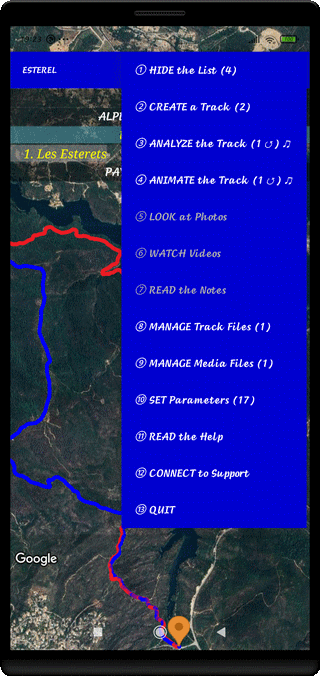
⇨ ① HIDE the List (..)
Look at the MAP in Full Screen Mode (Nbr Areas)
⇨ ② CREATE a Track (..)
Run the Track Recorder for a New Track (Nbr Tracks)
⇨ ③ ANALYZE the Track (3↺)
Exploring a Track
⇨ ④ ANIMATE the Track (1↺)
Animate a Track
⇨ ⑤ LOOK at Photos (0)
Photos Viewing
⇨ ⑥ WATCH Videos (0)
Videos Viewing
⇨ ⑦ READ the Notes (1)
Read the User or AI Notes
⇨ ⑧ MANAGE Track Files (..)
Management of Track Files and Areas
⇨ ⑨ MANAGE Media Files (..)
Management of Media Files
⇨ ⑩ SET Parameters (17)
Setting the Parameters
⇨ ⑪ READ the Help
Help to Understand the System
⇨ ⑫ CONNECT to Support
Consult the Internet Support Site (this Site)
⇨ ⑬ QUIT
Cancel the Application