Manual Inputs are necessary for TraJecSan Health Application
DETAILS
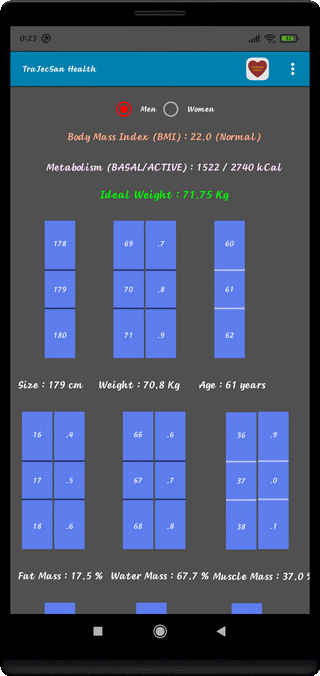
⇨ Choose Male or Female
⇨ Body Mass Index (BMI) and Classification
⇨ BASAL and ACTIVE Metabolism (kcal)
⇨ Ideal Weight (Kg) and Waist to Height Ratio (WHR)
⇨ Height (cm)
⇨ Weight (kg)
⇨ Age (years)
⇨ Fat Mass (%)
⇨ Water Mass (%)
⇨ Muscle Mass (%)
DETAILS
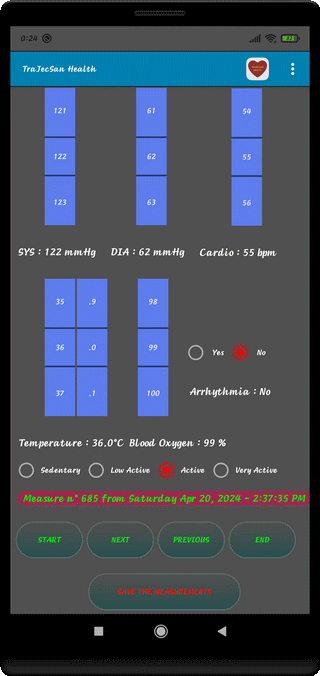
⇨ SYStolic Arterial Pressure (mmHg)
⇨ DIAstolic Arterial DIAstolic (mmHg)
⇨ Hearth Frequency (bpm)
⇨ Body Temperature (°C)
⇨ Blood Oxygen (%)
⇨ Waist (cm)
⇨ Probability of Arrythmia (Detected with Oxymeter)
⇨ Arrhythmia : Occurences and Number of Absences since the last Presence
⇨ User Activity Level (Sedentary, Low Active, Active, Very Active)
⇨ Identification Number, Date and Time of the Measurement
⇨ Push Button : BEGIN, NEXT, PREVIOUS, END
⇨ Push Button : SAVE THE MEASUREMENTS
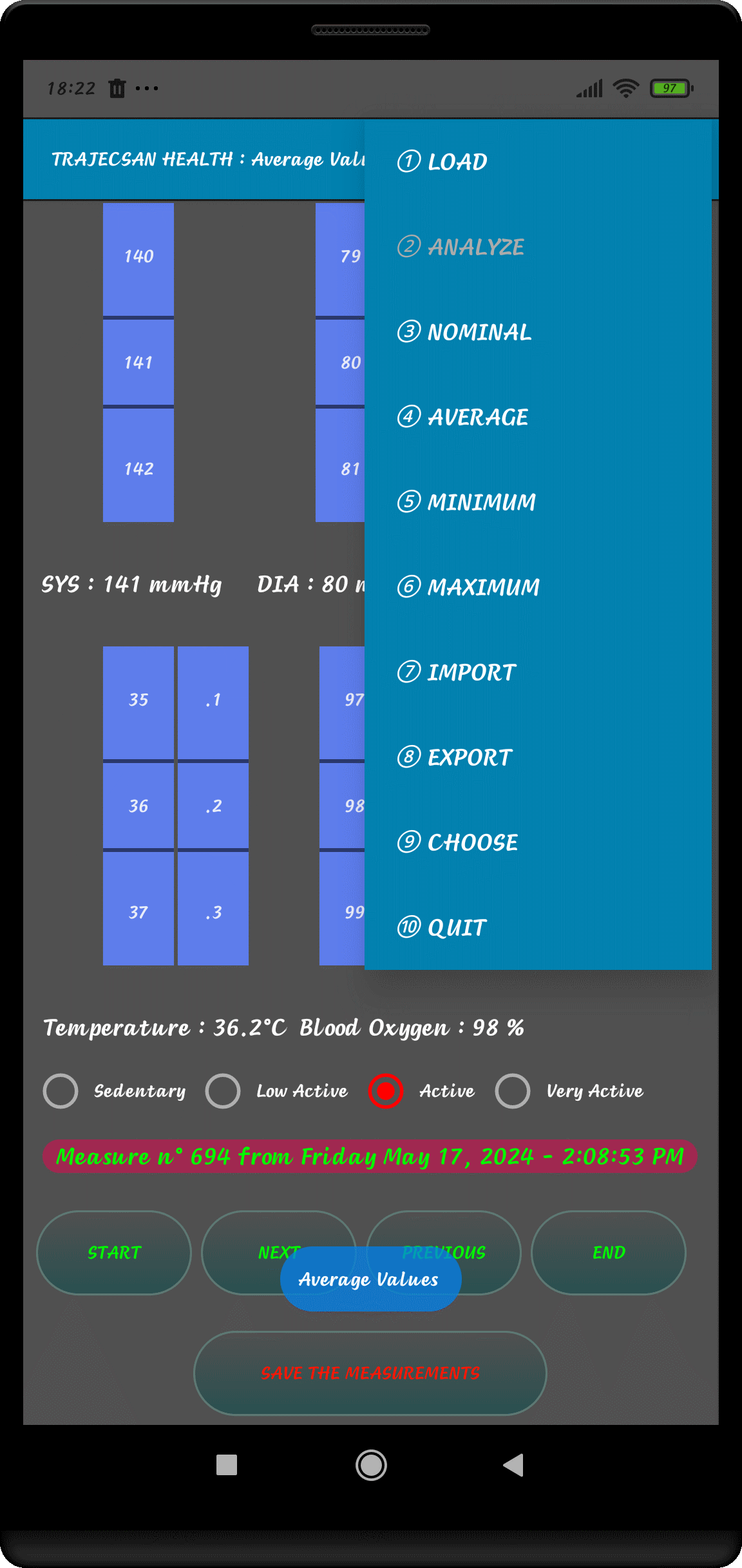
⇨ ① LOAD
Reload the Data File
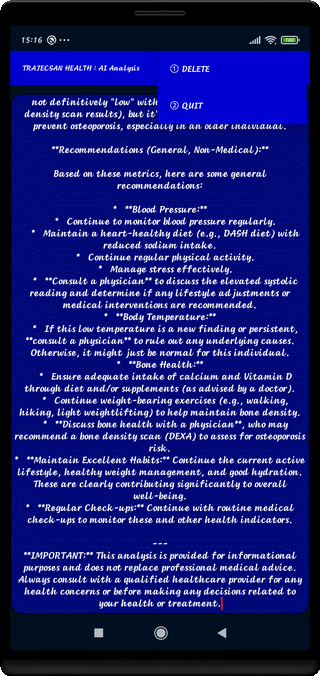
⇨ ② SUPPRESS
Destroy Data File
⇨ ③ NOMINAL
Normal Display for Data Inputs
⇨ ④ AVERAGE
Displaying Average Values
⇨ ⑤ MINIMUM
Displaying Minimum Values
⇨ ⑥ MAXIMUM
Displaying Maximum Values
⇨ ⑦ IMPORT
Import the Data File (if valid)
⇨ ⑧ EXPORT
Export the Data File (if valid)
⇨ ⑨ CHANGE
Changing the Language (English or French)
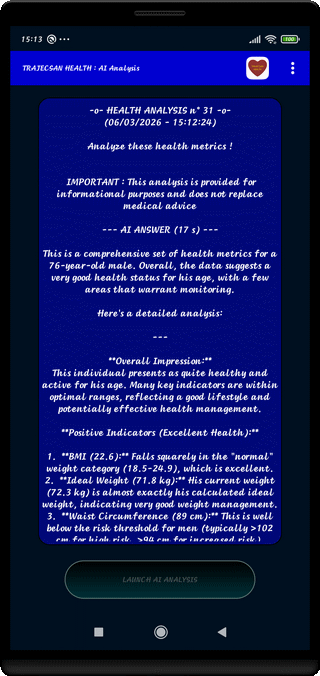
⇨ ⑩ ANALYZE (AI)
Data Analyzing with Artificial Intelligence
⇨ ⑪ QUIT
Exit Application with File Backup
⇨ ① Short PRESS : Connect to the Support Site
⇨ ② Long PRESS : Application Version Number